
Examining Infrastructure Integration Challenges in the A3 Roll DTF Printer T-shirt Printing Machine for Scalable Business Owners
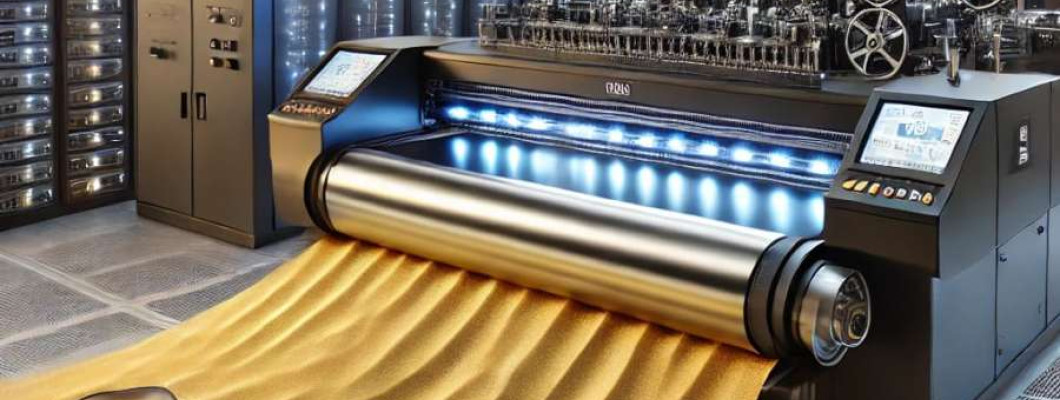
The Industrial Reality of Scaling with an A3 Roll DTF Printer
For scalable business owners aiming to streamline T-shirt production, integrating advanced printing technology seamlessly into existing infrastructure presents nuanced challenges. The A3 Roll DTF Printer T-shirt Printing Machine operates at the intersection of high throughput demands and automation efficiency, but its real-world deployment reveals critical considerations in facility layout, power consumption, and network integration.
Picture a mid-sized apparel manufacturer expanding from manual heat transfer operations to roll-fed direct-to-film printing. The transition entails not only reconfiguring physical workflow but also ensuring the printer’s power draw aligns with existing electrical infrastructure, and that digital file handling conforms to in-house server capacity. The A3 Roll DTF Printer requires stable 220-240V single-phase power with adequate surge protection; failure to provision this risks intermittent downtime and print inconsistency.
Moreover, the printer's communication with enterprise print management systems, often via USB or Ethernet, can expose latency or compatibility bottlenecks. Without robust integration, file queue backlogs or print job errors may inflate labor overhead, reducing the anticipated ROI. This example highlights the delicate balance between adopting industrial-grade equipment and fitting it into legacy or mixed-technology environments.
Technical Deep-Dive into Integration Parameters and Constraints
Power and Thermal Management
The A3 Roll DTF Printer operates within a nominal voltage range of 220-240V and consumes approximately 800-1000 Watts during active printing cycles. For continuous operation, stable power delivery is critical. Incorporating an uninterruptible power supply (UPS) rated at 1.5 kVA is recommended to mitigate voltage dips or surges common in shared industrial environments.
Thermal load from the drying and curing modules generates localized heat dissipation, necessitating ambient temperature control within 20-28°C and humidity levels from 40-60% RH to maintain print consistency. Overheating risks accelerating component degradation, especially in the heating element and printhead assembly.
Communication Interfaces and Data Throughput
The printer supports USB 2.0 and Ethernet 10/100 Mbps interfaces. Data transfer speeds max out near 12 Mbps on USB and 100 Mbps on Ethernet, influencing print job queue timing based on file size and complexity. High-resolution prints at 720x1440 dpi generate data packets averaging 50 MB per A3 roll segment, suggesting that network stability directly impacts throughput.
Physical Footprint and Environmental Compliance
The unit dimensions of 1200 mm (length) x 500 mm (width) x 600 mm (height), with a weight of approximately 50 kg, require dedicated bench or floor space with structural support to minimize vibration-induced print defects. Compliance with regional environmental and safety standards mandates ventilation exceeding 5 air changes per hour to dissipate volatile organic compounds (VOC) from solvent-based inks.
Ink Chemistry and Consumable Handling
The printer uses specialized DTF inks with pigment particle sizes averaging 5 micrometers (pl) for optimal adhesion and color vibrancy. Ink cartridge replacement cycles typically occur every 1,000 m2 of printed substrate, influencing supply chain logistics. Integration with automated inventory management systems enhances consumable tracking accuracy.
Software Ecosystem and Workflow Automation
Compatible with standard RIP software supporting ICC color profiles, the printer integrates with automated workflow solutions enabling batch job scheduling and remote monitoring. However, achieving low-latency print job dispatch requires network Quality of Service (QoS) configurations to prioritize printer traffic over competing data streams.
| Specification | A3 Roll DTF Printer | Typical Manual Heat Transfer Setup |
|---|---|---|
| Power Consumption | 800-1000 W | 200 W (Heat Press) |
| Print Area | 297 mm x Roll Length (variable) | Flat platen size (varies) |
| Data Interface | USB 2.0 / Ethernet 10/100 Mbps | None (manual) |
| Throughput | Up to 10 m2/hr | Approx 1-2 m2/hr |
| Footprint | 1200 mm x 500 mm x 600 mm | Compact portable |
Scenario Analysis on Business Outcomes Using the A3 Roll DTF Printer
Scenario One: Small Business Scaling Production
A startup apparel brand with a 5-person team integrates the A3 Roll DTF machine to increase daily output from 50 to 200 T-shirts. The printer’s automation reduces manual labor by 60%, freeing staff to focus on design and distribution. However, initial infrastructure upgrades to power and ventilation add CAPEX by 15%, offset by 30% operational savings within 6 months.
Scenario Two: Mid-Sized Manufacturer Automating Workflow
A garment supplier with legacy manual processes adopts the A3 Roll DTF printer networked to factory IT systems. The printer’s data throughput aligns well with the company's 1 Gbps backbone when segmented correctly, but early integration revealed the need for enhanced QoS. Post-implementation, job error rates dropped by 40%, and uptime improved by 25%. The investment supports a throughput increase of 120% over traditional heat pressing.
Scenario Three: Design-Driven Artisan Studio
An artisan studio values color depth and substrate variety but faces workspace constraints. The 1200 mm footprint of the A3 Roll DTF printer requires rearrangement but enables production of more complex multicolor designs with micron-level precision. The studio balances throughput with color fidelity, achieving premium product differentiation without sacrificing lead times.
Expert FAQ Addressing Integration and Workflow Complexities
1. How does power stability affect print quality in this DTF printer?
Voltage fluctuations can cause inconsistent nozzle firing patterns, leading to color banding and dot misplacement, degrading print sharpness. Dedicated circuits and UPS units mitigate this.
2. What network pitfalls most commonly delay print job execution?
Latency from mixed traffic congestion, especially in shared Ethernet environments, causes downstream spooling delays. Implementing VLANs and QoS policies is necessary for sustained print stream integrity.
3. Can the printer software support integration with existing ERP systems?
Yes, with middleware and RIP software APIs, ERP-driven job scheduling is achievable but requires custom scripting and IT resources for seamless synchronization.
4. What maintenance challenges arise from environmental factors?
Excess humidity can cause ink coagulation and nozzle clogging, while temperature swings accelerate mechanical wear. Controlled HVAC environments are critical.
5. How to optimize roll film handling for continuous production?
Automated roll feeders and tension controllers minimize film skew and wrinkling. Calibration routines must be conducted daily to maintain registration accuracy.
Strategic Verdict and Recommendation for Scalable Business Infrastructure
After rigorous evaluation, the A3 Roll DTF Printer T-shirt Printing Machine stands out as a robust, scalable industrial-grade solution for businesses intent on expanding automated fabric printing capabilities. Its power and network requirements, while demanding precise infrastructure integration, are well within the scope of modern mid-tier manufacturing setups.
Given its throughput potential and ability to mesh with automated workflows, it decisively improves operational efficiency, reduces labor input, and supports high-quality output. The necessary investment in power stabilization, environmental controls, and IT network management should be viewed as strategic enablers rather than impediments.
For businesses poised to scale, the printer delivers measurable ROI and asset longevity when integrated with foresight. This deep integration approach underscores the importance of comprehensive infrastructure planning in industrial printing applications.
For detailed specifications and procurement, consult the official product page for the A3 Roll DTF Printer T-shirt Printing Machine.