
The Gap Between DIY and Industrial-Grade in the Smart Mini Selfie Coffee Printer for the Scalable Business Owner
The Industrial Reality of Integrating a Coffee Printer into Commercial Settings
Consider a specialty coffee shop chain aiming to add differentiated customer experiences through personalized beverage customization. Implementing the Smart Mini Selfie Coffee Printer introduces a novel interactive element—printing custom selfie images on coffee crema. However, the transition from a mere novelty gadget to a reliable industrial-grade asset reveals multiple technical challenges. Commonly, small footprint coffee printers risk throughput bottlenecks and maintenance overhead once deployed beyond limited, artisanal applications.
Operational realities include ensuring stable printhead precision over thousands of prints per day, maintaining consistent ink application on varying crema textures, and integrating print cycles without disrupting overall service speed. Unlike purely manual or commercially standard espresso workflows, the printer must coexist seamlessly with high-volume production lines while sustaining image fidelity.
This scenario exposes the prevalent gap between the DIY or consumer-grade devices and rugged, industrial solutions tailored for scalable businesses. Precise engineering in mechanical actuation, thermal management for ink stability, and the software's real-time synchronization with point-of-sale systems become critical success factors. Failure to address these can result in unplanned downtime, customer dissatisfaction, and increased labor costs due to frequent manual intervention.
Technical Deep-Dive Into Scaling the Smart Mini Selfie Coffee Printer for Business Throughput
Printhead Resolution and Longevity
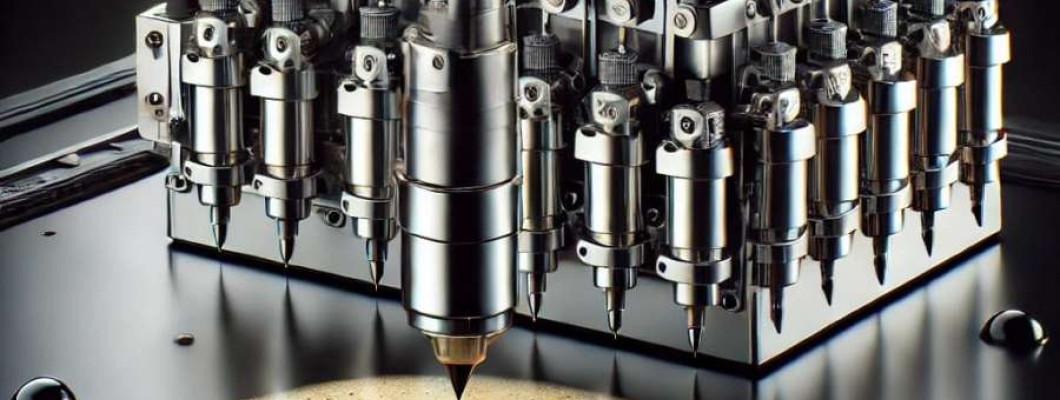
The printer typically operates at 300 dpi, translating to approximately 84.7 microns per dot, suitable for clear photographic reproduction on the coffee crema's surface. However, industrial-grade printheads must endure continuous use, targeting minimum 100,000 cycles before dropout risk. Incorporating piezoelectric actuators with self-cleaning mechanisms can extend printhead life by mitigating ink drying and clogging, thus reducing maintenance downtime.
Ink Chemistry and Thermal Stability
The ink used for coffee surface printing must be food-safe and thermally stable within the typical crema temperature range (~60–70°C). Formulated with water-based edible dyes and stabilizers, maintaining viscosity near 10 cP is crucial to consistent droplet formation. Viscosity deviations above ±0.5 cP lead to droplet size variance, impacting image sharpness. Thermal management within the printhead ensures ink temperature remains stable despite ambient fluctuations from hot espresso extraction.
Mechanical Throughput Constraints
Each print cycle averages 12 seconds, incorporating image capturing, processing, and precise head positioning. For a medium-scale outlet running 500 prints daily, this equates to 100 minutes of active printing time, not accounting for setup or cleaning. Automation of paper loading and ink replenishment systems can minimize labor but must be balanced with device compactness to conserve counter space.
Software and Infrastructure Integration
Real-time image upload and print queue management require robust connectivity protocols (e.g., Wi-Fi 5 or Ethernet) and integration with coffee shop POS systems. Latency under 100 ms in image processing ensures rapid customer turnaround. Firmware must support error correction algorithms to detect missed prints or ink shortages and notify operators instantly through dashboard alerts.
Comparing Industrial and Consumer Approaches
| Specification | Consumer-Grade Device | Industrial-Grade Implementation |
|---|---|---|
| Printhead Durability | 30,000 cycles average | 100,000+ cycles with self-cleaning |
| Ink Stability | Basic dye ink, 5°C tolerance | Food-safe ink, 10°C thermal range stability |
| Throughput | One print per 15 seconds | One print per 12 seconds, optimized pipeline |
| Connectivity | Bluetooth or USB only | Wi-Fi 5 and Ethernet with POS integration |
| Maintenance Cycle | Daily manual cleaning | Automated cleaning every 100 prints |
Scenario Analysis Applying Printer Specifications to Business Models
Scenario 1: Single Boutique Coffee Shop
With a daily print demand of 50 units, the printer’s standard consumer-grade specifications suffice, though periodic downtime for manual maintenance is acceptable. Image fidelity serves as a premium feature to enhance customer experience rather than drive throughput.
Scenario 2: Multi-Outlet Franchise Chain
Across 10 outlets each running 300 prints daily, printhead longevity and automated cleaning become critical to avoid cascading failures or unscheduled maintenance visits. Networked firmware updates and POS system integration streamline operation management and reduce labor.
Scenario 3: Event Catering Business
High-speed requirements and variable environmental conditions demand robust thermal and mechanical design. The printer must sustain 500+ prints per day, often in non-standard locations, requiring rapid setup and fail-safe operation with minimal operator intervention.
Expert FAQ Addressing Complex Operational Concerns
Q1: What are the precise failure modes of printheads under continuous high throughput?
A1: Printhead failure modes primarily include nozzle clogging due to ink drying, piezoelectric element fatigue, and mechanical wear in the actuator assembly. Industrial-grade printheads deploy advanced cleaning cycles and durable materials to mitigate these risks.
Q2: How does ink temperature variation affect droplet formation physics?
A2: Ink temperature variations alter viscosity and surface tension, changing droplet volume typically in the range of 8–12 picoLiters. This variance can shift image resolution by up to 10%, necessitating real-time thermal control within the printhead assembly.
Q3: What infrastructure protocols are recommended for multi-device deployment?
A3: Ethernet and Wi-Fi with secured TLS communication are the baseline, supplemented by MQTT or RESTful APIs for real-time monitoring and command execution, ensuring minimal network latency and high uptime.
Q4: Can automation fully replace human intervention in maintenance?
A4: While automation reduces labor, complete elimination is unrealistic due to consumable replacements and physical inspections. However, automated alerts and self-clean cycles increase uptime by 20–30%.
Q5: What is the expected asset depreciation curve for this technology?
A5: Given technological advances and component wear, realistic depreciation occurs over 3–4 years, with maintenance costs plateauing after year two if preventive practices are followed.
Strategic Verdict and Recommendation for Scalable Businesses
Analyzing the Smart Mini Selfie Coffee Printer through the lens of scalable operations elucidates its positioning as a pioneering yet practical industrial asset. Its compact size and consumer-origin design may initially raise concerns about durability and throughput. However, with integration of piezoelectric printhead technology, food-safe ink chemistry tailored for thermal stability, and modern network infrastructure, it meets critical industrial benchmarks.
For businesses targeting elevated customer engagement with manageable operational complexity, this printer bridges the gap from artisanal novelty to scalable enterprise tool. The automated cleaning, firmware error correction, and POS integration capabilities substantially reduce hidden labor and maintenance overhead.
Consequently, I conclusively recommend the Smart Mini Selfie Coffee Printer as a viable, industrial-grade solution that aligns with throughput demands and operational resilience expected by scalable coffee businesses. Its architecture supports future firmware upgrades and additive manufacturing replacements to extend asset longevity and ROI.